Redirect Tool
301 Redirects are the proper way to redirect old URLs to new URLs. When Google sees a 301 redirect, it will update its records to index the new URL without any penalty in SEO. Google would eventually index it, but you also lose all the search history for that link.This isn't something you would likely do for every page in the site, but it should be done for any main pages that come up at the top of Google searches. You would need to do this for any link that comes up as a 404 Page Not Found error in Google.
Setting up your redirect
Setting up redirects is quick and easy. The tool does all the work for you, you just need to give it the old and new URLs and it does everything for you.Go to TOOLS > REDIRECTION
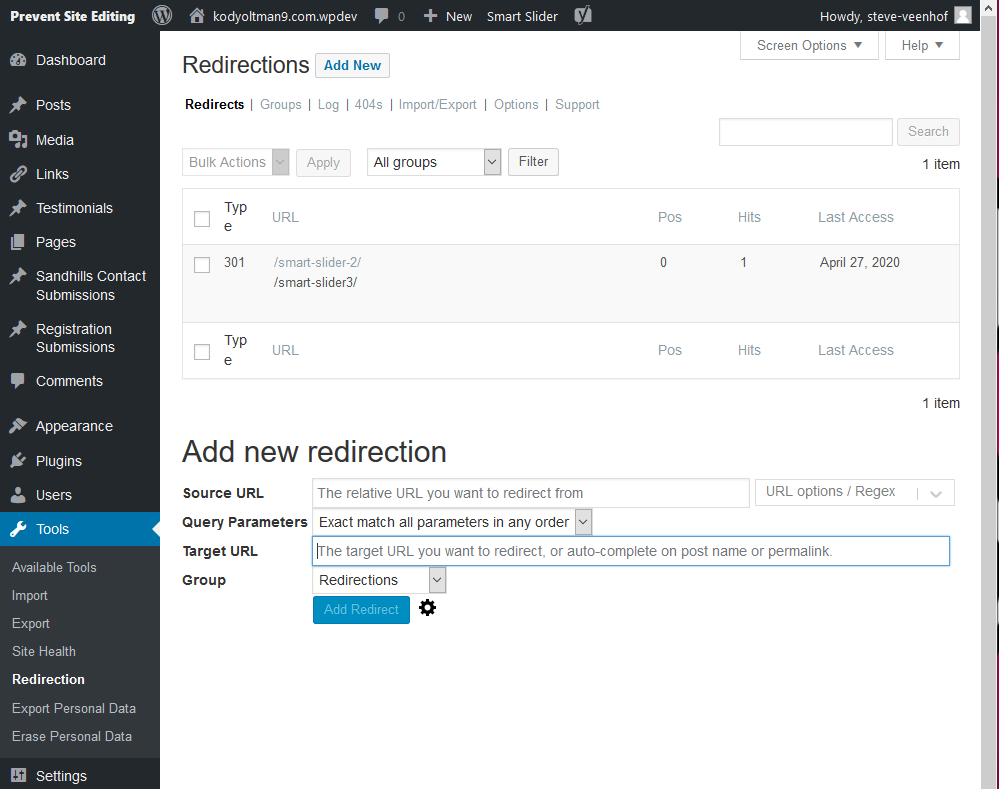
When you get here, you will see all the existing URLs in the area at the top. You can edit or delete them by mousing over them.
Below is section is where you will add your new redirects.
- Source URL: This is where you enter the old URL that has moved and is currently generating the 404 Page Not Found error. It requests that you use a relative version of the link (omit the https://www.domain.com).
- Query Parameters: You will probably leave this as is. It just gives you the ability to determine how exact the URLs are that will redirect.
- Target URL: This is the new URL. This doesn't necessarily have to be a WordPress page, but it usually would be. You could also use this tool if the customer added a new feature, like a cart. For example, you could have "/parts" redirect to "https://shop.domain.com."
- Group: You can create groups to manage your redirects if you have a bunch.
That's it! Now just test the old URL and make sure it resolves to the new page!
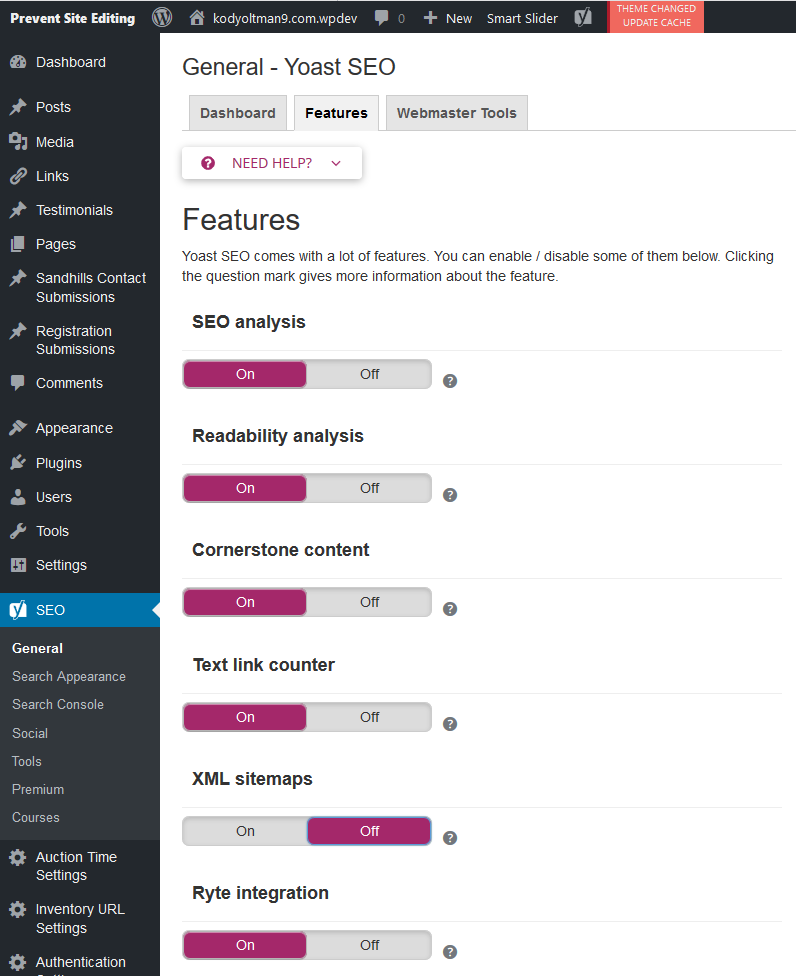
Yoast is a wonderful tool, but it has limited applications on the Sandhills system. The reason for this is that it often doesn't look for the content where we have to save it. An SEO tool that can't index the content isn't very effective.
However, one thing it does do is override our XML Sitemaps. Please take a moment to turn it off so that the tool we built that does read the data and provide an accurate sitemap can be indexed by Google.